ChaPose
A downloadable tool for Windows, macOS, and Linux
When you transfer files via email, cloud storage, or instant messaging, unencrypted data is essentially "running naked" on the internet, vulnerable to interception or leaks at any moment. Even if you keep sensitive files locally, you cannot fully prevent other applications on the same device from snooping on your data.
With file encryption, everything changes!
ChaPose is the CLI (Command Line Interface) core component of the ChaCrypt ecosystem. It is not a bloated encryption suite, but a professional-grade guardian built for high-performance processing, automated workflows, and robust security hardening.
Getting Started
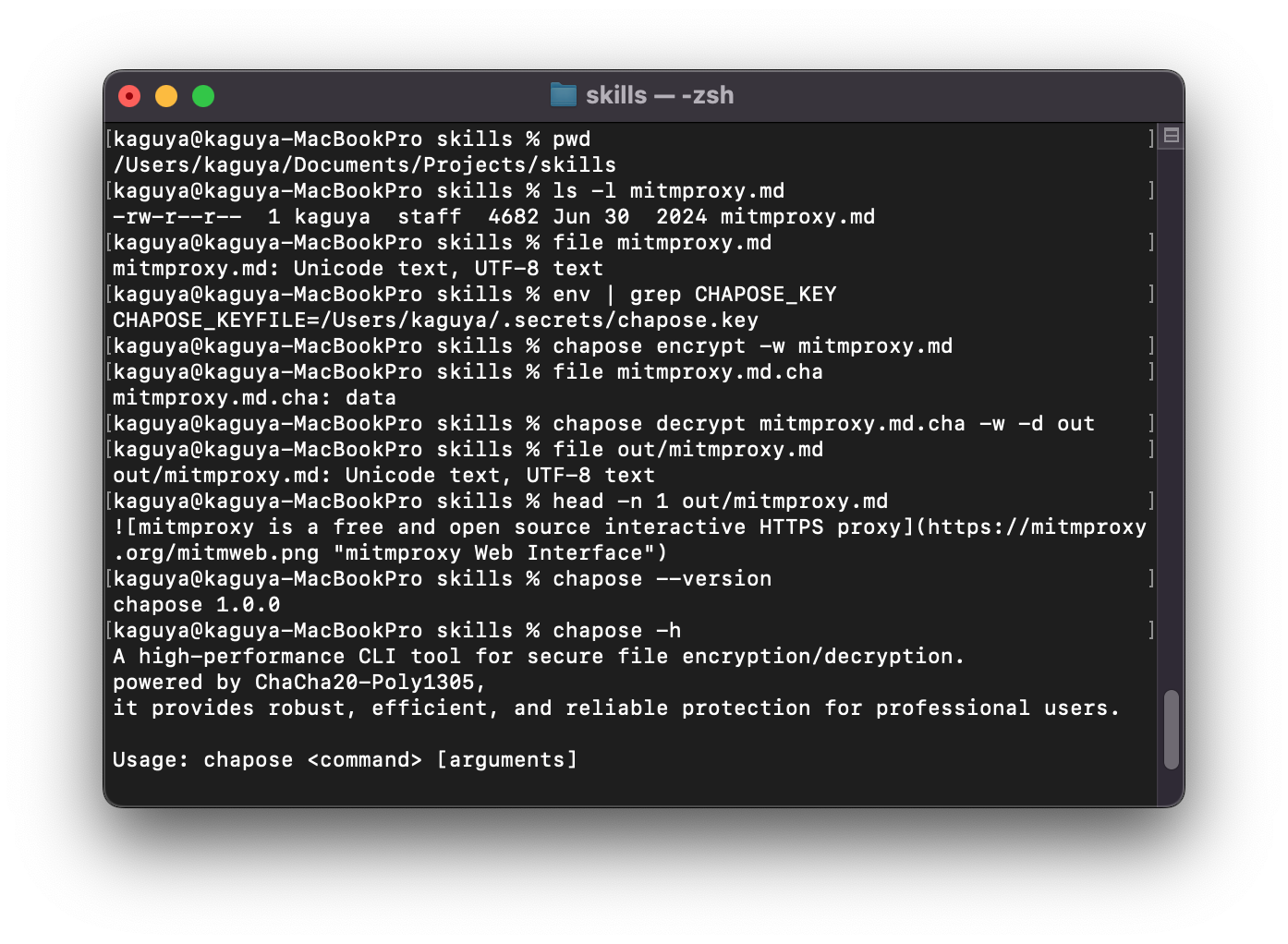
Once installed, you can verify the installation and explore features:
- Check Version:
chapose --version(Outputs the version number upon successful installation) - General Help:
chapose help(View global help) - Subcommand Help:
chapose help <command>(e.g.,chapose help encrypt. Note: Subcommand help documentation includes rich usage examples, which we highly recommend checking first.)
Core Commands
keyfile- Key Management Generates a high-entropy random keyfile, serving as the trusted credential for all encryption/decryption operations.- Usage:
chapose keyfile -p "YourStrongPassword" -o ~/.secrets/chapose.key
- Usage:
encrypt- Data Hardening Converts plaintext files into high-strength.chaciphertext.- Usage:
chapose encrypt sensitive.db
- Usage:
decrypt- Secure Restoration Verifies and decrypts.chaciphertext files, restoring them to their original plaintext.- Usage:
chapose decrypt sensitive.db.cha
- Usage:
Automation Pipeline (Manual Execution Example)
ChaPose focuses on high-strength encryption for single files. For complex "Archive → Encrypt → Physical Wipe" workflows, you can pair it with ft:filetools (an open-source cross-platform tool maintained by the same developer, visit the official repository) to achieve automation:
- Archive:
ft archive --source ./data --target bundle.tgz - Encrypt:
chapose encrypt bundle.tgz -w(Use-wto force overwrite) - Physical Wipe:
ft wipe ./data --levels=medium(Permanently destroy original plaintext) - Cleanup:
ft wipe bundle.tgz --levels=low(Wipe the intermediate archive)
CLI Best Practices: Seamless Encryption
To enable "Seamless Encryption," configure the global CHAPOSE_KEYFILE environment variable to execute commands without manually specifying the key path.
- Unix/macOS (Zsh/Bash): Add to
~/.zshrcor~/.bashrc:export CHAPOSE_KEYFILE="$HOME/.secrets/chapose.key" - Windows (PowerShell): Run:
[Environment]::SetEnvironmentVariable("CHAPOSE_KEYFILE", "$HOME\.secrets\chapose.key", "User") - Windows (CMD): Run:
setx CHAPOSE_KEYFILE "%USERPROFILE%\.secrets\chapose.key"
Once configured, simply run chapose encrypt target.data, and the system will automatically read the key from the environment variable, significantly boosting your workflow efficiency.
Ready to take control of your data sovereignty? Visit our GitHub repository to access the source code, binary installers, and detailed technical documentation.
Download
Install instructions
ChaPose Installation Guide
Welcome to ChaPose! You can install it using one of the following methods based on your operating system.
1. Shell Script Installation (Recommended)
Suitable for macOS, Linux, and Windows (Git Bash / MSYS2). Please ensure that curl is installed on your system.
```sh
curl -fsSL https://raw.githubusercontent.com/huanguan1978/chacrypt/main/chapose/install.sh | sh -s -- --version 1.0.0
```
2. macOS Installation (Homebrew / MacPorts)
We maintain a custom tap repository that includes chapose, ft:filetools, and other tools I have developed.
👉 Visit the custom tap repository for detailed instructions,
github: huanguan1978/homebrew-tap
- Homebrew:brew tap huanguan1978/tap
- brew install chapose
- MacPorts: Please refer to the instructions provided in the custom tap repository linked above.
3. Manual Download & Installation
If you need binaries for specific architectures or prefer manual management, please visit our GitHub Release page:
👉 GitHub Release Page (chapose-v1.0.0)
On this page, you can find compressed archives and checksum files for various platforms (macOS, Linux, Windows) and CPU architectures (x64, arm64, etc.).
Verify Installation
After installation, run the following command in your terminal to verify:
chapose --version
If the version number is displayed, the installation was successful.
Leave a comment
Log in with itch.io to leave a comment.