ft: FileTools
A downloadable tool for Windows, macOS, and Linux
Stop fighting with platform-specific shell scripts.
`ft` (FileTools) is a high-performance, open-source CLI suite designed to bring order to your development workspace. Whether you are cleaning build artifacts, syncing assets, or orchestrating complex data workflows, `ft` delivers a consistent, lightning-fast experience across Windows, macOS, and Linux.

🚀 Start Simple, Scale to Automation
`ft` is designed with a **"progressive flow"** in mind. You can start by using it as a reliable day-to-day terminal tool, then scale up to complex, multi-step automation without ever needing to touch a complex Bash or PowerShell script again.

Phase 1: Your New Daily Command-Line Companion
No more remembering arcane flags for `find`, `rm`, or `rsync`. Use `ft` for your immediate needs:
- Smart Search & Clean: Find and wipe build folders (`obj`, `bin`, `Library`) or stale temporary files in milliseconds.
- Secure Erasure: Permanently wipe sensitive project data with built-in `erase`.
- *Duplicate Discovery: Use `fdups` to reclaim disk space from redundant assets.
Unified Syntax: `ft` acts the same on every platform, making your terminal commands portable.

Phase 2: Orchestrate Your Workflow
Once you're comfortable with `ft`, unleash its true power: **YAML-based Automation**.

Why maintain multiple `.sh` or `.bat` files for different environments?
Task Orchestration: Combine any built-in `ft` command into a single YAML configuration.
Unified Pipeline: Use `ft shell` to integrate external CLI tools into a master workflow. Whether it’s triggering a compiler, a texture compressor, or a remote backup, `ft` manages the execution order and error handling.
Declarative: Define your cleanup or backup routine once, and share it with your team. It will run perfectly, every time, on every machine.
💡 Why Developers Choose `ft`
"What You See Is What You Delete" (Predictable Workflow)
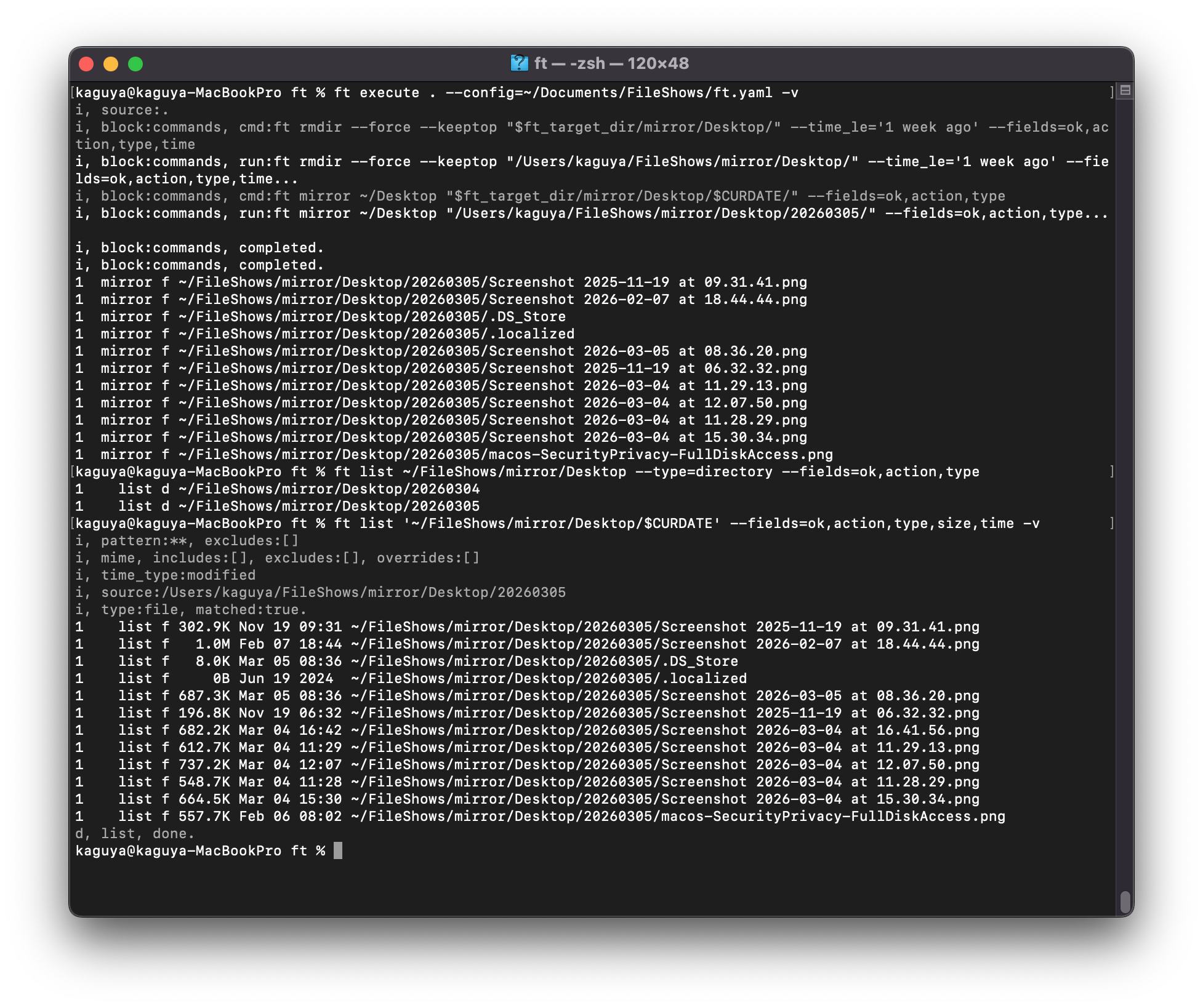
`ft` separates discovery from action. Every destructive command (like `clean`, `rmdir`, or `wipe`) uses the exact same filter logic as `ft list`. You can **preview** your target files with `ft list` before performing any operation. If the list is what you expect, the action will be, too. No more "accidental delete" surprises.
- High-Performance Async I/O: Built for speed, `ft` processes file streams asynchronously, allowing you to manage millions of files without system-wide memory spikes.
- Cross-Platform Consistency: Stop dealing with `dir` vs `ls`, or `del` vs `rm`. `ft` provides a unified command set that works identically on Windows, Linux, and macOS.
- Declarative Automation: Move from fragile shell scripts to structured YAML. Define your workflow once, version-control it in Git, and run it anywhere.
- Open Source: Transparent, community-driven, and built for developers, by developers.
📚 Ready to get started?
GitHub Repository :Explore the source code, contribute, or view the full documentation.
FAQ & Guides : Deep dive into best practices for file automation.
Stop wrestling with fragmented tools.
Install `ft` today and build a smarter, faster, and more unified development workflow.
Download

Leave a comment
Log in with itch.io to leave a comment.